
Search for your device and get cash instantly



Sell Samsung Galaxy Note for Cash UK | Zextons
Sell your old, used or damaged Samsung Galaxy Note to sell.zextons and get a current cash quote based on the exact model, storage, condition and network status.
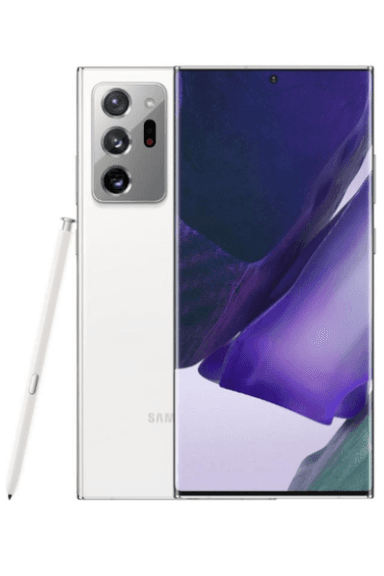
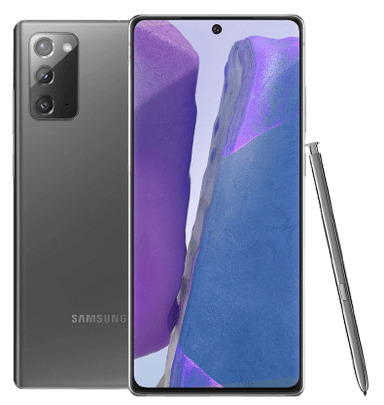
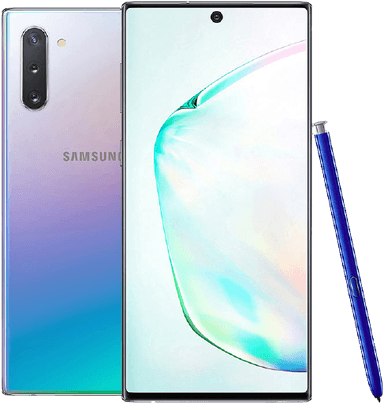
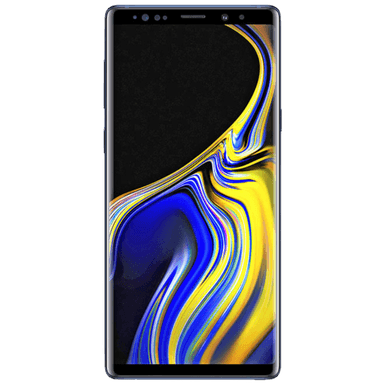
sell.zextons buys eligible Galaxy Note phones across the UK, including Galaxy Note 20, Note 20 Ultra, Note 10, Note 10 Plus, Note 10 Lite, Note 9 and other supported models.
Working, cracked, faulty and supported network-locked Note devices can all be valued.
14-Day Quote Lock | Free Postage | Same-Day Bank Transfer Available | Free Return if You Decline a Revised Offer
Find Your Galaxy Note and Check Its Current Value
Your Galaxy Note's value mainly depends on its exact model, storage, physical condition, functionality and network status.
Choosing the correct device from the start helps make the quote more relevant and reduces the chance of a revision after inspection.
What Affects How Much My Samsung Galaxy Note Is Worth?
A Galaxy Note's resale value is determined by the complete device rather than one specification alone.
Exact Model and Generation
The Galaxy Note range includes several variants that may look similar but are valued separately.
For example:
Galaxy Note 20
Galaxy Note 20 Ultra
Galaxy Note 10
Galaxy Note 10 Plus
Galaxy Note 10 Lite
are different products.
Always choose the full model name rather than selecting the closest-looking device.
Storage Capacity
Storage is part of the exact device specification.
Depending on the model, Galaxy Note phones can be available with capacities such as:
64GB
128GB
256GB
512GB
Check the storage shown in your phone settings before requesting a quote.
Display Condition
Galaxy Note devices are known for their large AMOLED displays, which makes screen condition particularly important when assessing the phone.
Relevant issues can include:
Cracked glass
Screen burn or image retention
Green or coloured lines
Dead pixels
Display discolouration
Touchscreen faults
Heavy scratching
Normal cosmetic wear is different from a functional display fault, so describe the device as accurately as possible.
S Pen
The S Pen is one of the defining features of the Galaxy Note family.
If your Note originally came with an S Pen, check whether it is:
Present
Physically intact
Sitting correctly in the S Pen slot
Functioning normally where applicable
If the S Pen is missing or damaged, enter the device details honestly during valuation if the condition process asks for it.
Hardware Functionality
Other functions that can affect condition include:
USB-C charging
Battery behaviour
Front and rear cameras
Fingerprint sensor
Speakers
Microphones
Power and volume buttons
General power-on functionality
Can I Sell a Broken or Damaged Galaxy Note?
Yes. Eligible broken and faulty Galaxy Note phones can still have value. sell.zextons can value devices with cracked screens, charging faults, battery problems, camera issues and other functional damage.
A fault usually affects the amount offered, but it does not automatically make the device worthless.
Common issues include:
Cracked AMOLED display
Screen burn
Green lines or dead pixels
Damaged back glass
USB-C charging problems
Battery faults
Camera problems
Speaker or microphone faults
Fingerprint sensor issues
Phone not operating normally
For broader information about damaged devices, seeSell Broken Phone.
Check My Damaged Galaxy Note Value
Can I Sell a Galaxy Note Without the S Pen?
A Galaxy Note may still have value without its S Pen, but the missing accessory may be relevant to the device's condition or valuation depending on the model and sell.zextons assessment.
Do not replace the S Pen with an incompatible stylus simply for the sale.
If the original S Pen is missing, describe the phone accurately when getting your quote.
Can I Sell an Old Galaxy Note?
Yes. Older Galaxy Note models can still have resale, refurbishment or parts value. Age alone does not determine whether the phone is worth selling.
Your Note's current value depends more on:
Exact model
Storage
Display condition
Overall functionality
Network status
Current resale demand
For example, an older Note that still works correctly may remain useful in the secondary market, while a damaged device can still retain value for refurbishment or parts.
If your Note has been sitting unused since an upgrade, check its current value before assuming it is too old to sell.
Can I Sell a Network-Locked Galaxy Note?
Yes. sell.zextons accepts eligible Galaxy Note phones locked to supported UK networks including EE, O2, Vodafone and Three. Network status can affect the valuation.
A network lock is different from:
Samsung Account security
Google Factory Reset Protection
A screen PIN or password
An IMEI block
Select the correct network when getting your quote.
For more detail, seeSell Network Locked Phone.
How Do I Check Which Galaxy Note I Have?
Open Settings > About phone and check the device name, model number and storage. This is the simplest way to distinguish between similar Note generations and variants.
Look for details such as:
Galaxy Note 20
Galaxy Note 20 Ultra
Galaxy Note 10
Galaxy Note 10 Plus
Galaxy Note 10 Lite
Galaxy Note 9
You may also see the phone's IMEI, which identifies the handset on mobile networks.
Choosing the correct model helps prevent an inaccurate initial quote.
How Do I Prepare My Galaxy Note Before Selling It?
Preparing your Note correctly protects your personal information and helps prevent account-lock issues during inspection.
1. Back Up Your Data
Save anything you want to keep, including:
Photos
Contacts
Messages
Documents
Notes
Authentication information
Important app data
2. Remove Your Samsung Account
Sign out of the Samsung Account connected to the phone.
This helps disconnect the device from personal Samsung services.
3. Remove Your Google Account
Remove the Google Account linked to the device before factory resetting it.
This is important because Android devices can remain protected by Factory Reset Protection (FRP) if the previous account is still associated with the phone.
4. Factory Reset the Phone
Once your important data is backed up and your accounts are removed, erase the device.
On many Samsung phones:
Settings > General management > Reset > Factory data reset
The exact wording can vary depending on software version.
For additional guidance, use the sell.zextons Data Delete Tool.
5. Remove Your SIM and Memory Card
Take out:
Physical SIM
Personal memory card, if fitted
Do not send personal storage cards containing your data.
6. Pack the Device Securely
Protect the screen, corners and rear camera area during transit.
For full sending guidance, seeSending Your Mobile.
How Does Selling a Galaxy Note to sell.zextons Work?
1. Get Your Quote
Select the exact Galaxy Note model, storage, network and condition.
Your confirmed quote is held for 14 days.
2. Send Your Note Free
Use the prepaid postage option provided with your sell.zextons order.
You do not need to send the original retail box or charger unless your specific order instructions say otherwise.
3. Device Inspection
When the phone arrives, sell.zextons checks it against the information submitted with the order.
This can include:
Exact model
Storage
Display
Physical condition
General functionality
Network status
4. Get Paid
Eligible devices received before 1pm Monday to Friday, excluding public holidays, can be processed for same-day bank-transfer payment after successful inspection.
Devices arriving after the cut-off are processed the next working day.
ReadYour Payment for current payment information.
What Happens if My Galaxy Note Does Not Match the Quote?
If the phone materially differs from the details submitted, sell.zextons may issue a revised valuation. You can accept the new offer or decline it and request the device back under the applicable free-return terms.
A revised offer might be needed when:
The wrong Note model was selected
Storage differs from the order
Screen damage was not declared
A functional problem is found
The condition differs materially
Relevant device information was entered incorrectly
Giving accurate details at the quotation stage helps make the process more predictable.
Selling Your Galaxy Note for Cash vs Trading It In
Selling your Note for cash and using it towards another device are related but different options.
Sell Your Galaxy Note for Cash
Use Sell.Zextons when you want the approved device value paid by bank transfer after inspection.
Trade In Towards Another Device
If you are purchasing another product from the main sell.zextons store, the separatesell.zextons Trade-In programme may be more appropriate.
This keeps the cash-buyback and upgrade journeys separate.
Why Sell Your Galaxy Note to sell.zextons?
14-Day Quote Lock
Your confirmed quote is held for 14 days, giving you time to send the phone without the valuation immediately changing.
Free Postage
sell.zextons provides prepaid postage options for eligible device sales.
Same-Day Bank Transfer Available
Eligible devices received before the published weekday cut-off can be processed for payment on the same working day after successful inspection.
Free Return if You Decline a Revised Offer
If the valuation needs to be revised and you do not want to accept the new amount, you can request the phone back under the applicable free-return terms.
Frequently Asked Questions
How much is my Samsung Galaxy Note worth?
Your Galaxy Note's value mainly depends on the exact model, storage, display condition, functionality, network status and current market demand. Select your exact Note model to see the current sell.zextons quote.
Can I sell an old Samsung Galaxy Note?
Yes. Older Note models can still have resale, refurbishment or parts value depending on their condition and specification.
Can I sell a broken Galaxy Note?
Yes. Eligible Galaxy Note phones with screen, battery, charging, camera or other faults can still retain value.
Can I sell a Galaxy Note with a cracked screen?
Yes. A cracked display usually reduces the value, but an eligible Note can still be sold depending on the extent of the damage.
Can I sell my Galaxy Note without the S Pen?
A Note without its original S Pen may still have value. If the S Pen is missing or damaged, describe the device accurately during valuation.
Does storage affect Galaxy Note value?
Yes. Storage capacity is part of the exact phone specification, and different capacities can have different resale values.
Can I sell a network-locked Galaxy Note?
Yes. sell.zextons accepts eligible Note devices locked to supported UK networks including EE, O2, Vodafone and Three.
Do I need to remove my Samsung and Google accounts?
Yes. Remove your Samsung and Google accounts before factory resetting the phone so account security and Factory Reset Protection do not prevent normal processing.
When will I get paid?
Eligible devices received before 1pm Monday to Friday, excluding public holidays, can be processed for same-day bank-transfer payment after successful inspection. Later arrivals are processed the next working day.
Check What Your Samsung Galaxy Note Is Worth
Whether you have a Galaxy Note 20 Ultra, Note 20, Note 10 series, Note 9 or another supported Note model, start by selecting the exact device you own.
Choose the correct storage, network and condition to see your current valuation.